
MedicTests 2026 EMS Education
MedicTestsEducation
4.7257.00 Reviews
- Version
- 11.3.2
- Installs
- 50.00K
- Age Rating
- Everyone
Screenshots
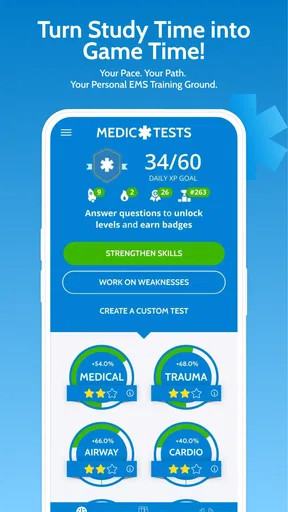
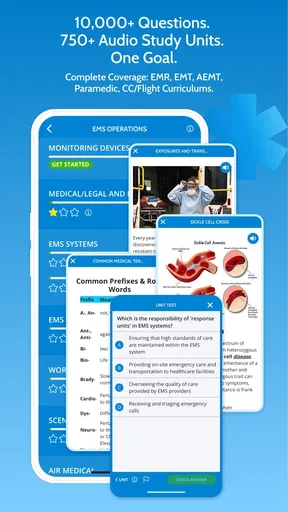
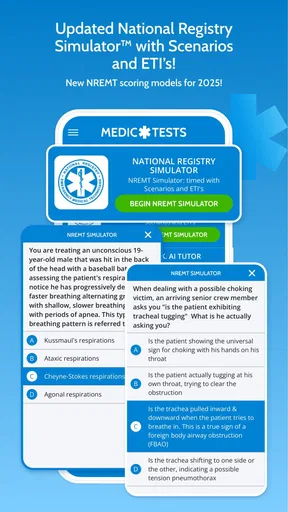
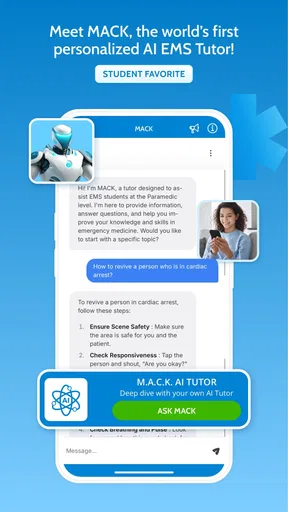
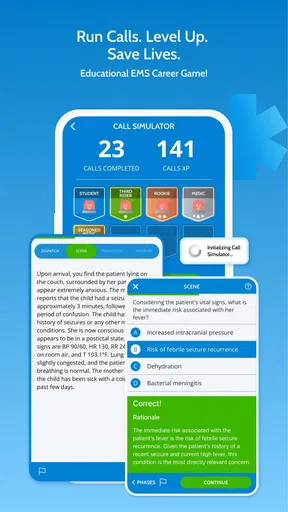
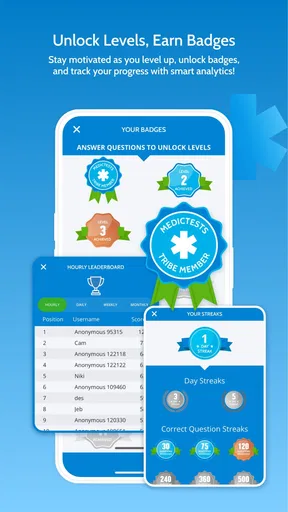
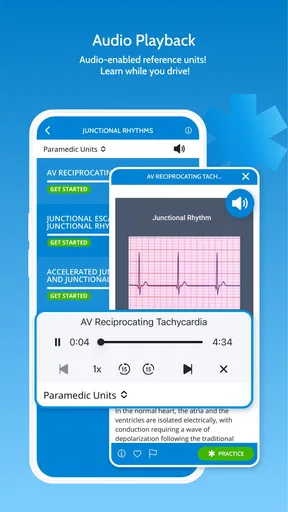
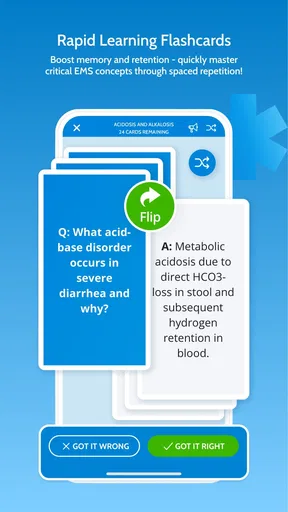
Our Review of MedicTests 2026 EMS Education
 Analysis by Appyee
I found MedicTests 2026 EMS Education most useful when I treated it as a focused study companion rather than a complete replacement for class, clinical instruction, or an instructor’s feedback. It is an education app from MedicTests built around EMS training and test preparation, and my impression is that its real value appears in short, repeated practice sessions. Instead of waiting for a long study block, I could use a spare moment to revisit questions, check where my reasoning was weak, and return to the material with a clearer target.
That makes it especially interesting in a shared household. A family member may use the same phone or tablet for school, work, entertainment, and medical study, but the app itself is aimed at the person preparing for EMS assessments. I would not present it as a general learning app for everyone in the home. It has a specific audience, and the best experience comes when the learner has a defined purpose, a quiet enough moment to think, and a way to keep personal progress separate from other people using the device.
How MedicTests 2026 fits into real household study
When I think about fitting EMS study into a busy home, I focus less on finding a perfect study room and more on protecting a small stretch of attention. A shared table, a quiet corner, or a predictable device handoff can make practice easier to begin without turning the household into a study committee. From there, the next useful question is how to make a first session feel purposeful rather than overwhelming.
A practical shared-device scenario
Imagine someone preparing for an EMS exam while living with roommates or family. The main device may be available only between other people’s tasks, so studying happens at the kitchen table, during a commute break, or late in the evening. In that situation, a question-based app can be more realistic than opening a large textbook every time. I could work through a small practice session, note the topics that caused trouble, and put the device away without needing to reorganize an entire desk.
The important distinction is that convenience does not automatically equal effective learning. A quick answer session can become passive tapping if I focus only on finishing questions. I got more from the app when I paused after an incorrect response and asked myself why the tempting answer seemed reasonable. That extra step turns the app from a quiz dispenser into a prompt for clinical reasoning, although it still works best alongside formal EMS education.
For a shared household, I would establish a simple routine before using it. The learner should have a regular place to record difficult subjects, whether that is a notebook or another personal study system. Without that habit, another person opening the app later may see an experience that feels confusing or incomplete, and the original learner may forget which mistakes deserve another look.
Keeping study boundaries clear
One of the first boundaries I would set is between practice and instruction. MedicTests can help me rehearse knowledge, but I would not use a quiz result as permission to make a real-world medical decision. EMS preparation involves judgment, communication, assessment, and hands-on skills that cannot be reduced to selecting an answer on a screen. The app belongs in the revision part of that process, not in place of supervised training.
A second boundary concerns time. Because the app is free to install, it is easy to open casually and assume that any amount of use is productive. The experience becomes more useful when I decide what the session is for: checking baseline knowledge, reviewing a weak subject, or testing recall under pressure. A short session with a clear purpose can teach me more than a long, unfocused run through questions.
There is also a financial boundary worth understanding. The app is free, but it includes in-app purchases ranging from $34.99 to $199.99 per item. I would therefore discuss purchases before handing the device to a younger household member or leaving an account available on a shared tablet. The free entry point makes trying the app straightforward, but serious learners should consider what they actually need before committing to any paid material.
What setup feels sensible before studying
The app runs on Android devices using version 7.0 or later, which makes it accessible on many older phones and tablets. That is helpful for households that reserve a newer device for work and use an older one for study. Even so, I would check the device before planning a long revision routine. A small screen, low battery, or a crowded notification environment can make question review more tiring than it needs to be.
I would also decide who the device is for during a study block. This is not because the app needs an elaborate family configuration, but because shared use creates ordinary practical problems: someone may interrupt a session, change the device settings, or open another person’s learning history. Keeping the learner’s study time and device access clearly separated is more reliable than assuming that everyone will remember where the previous session ended.
For a student who owns the phone, the setup is simpler. I would keep a small list of recurring trouble areas outside the app and use that list to guide the next session. This avoids the common mistake of repeatedly answering familiar questions while neglecting the topics that feel less comfortable. The strongest workflow I found was to use the app for exposure, then use notes or class material to investigate the reason behind a mistake.
Coordinating without turning the app into a family project
Coordination matters when a household is supporting an EMS student. A partner, parent, or roommate does not need to study every question to be helpful. A better approach is to agree on practical support: protect a short uninterrupted study period, avoid borrowing the device midway through a session, and ask the learner which topics need attention rather than demanding a score update every time.
I also prefer discussing progress in terms of confidence and understanding instead of treating the app as a scoreboard. A learner may answer several questions correctly through recognition without being able to explain the underlying principle. Conversely, a difficult session may reveal a useful gap. The app is more valuable when the household treats mistakes as study signals rather than evidence that the learner is failing.
For shared housing, coordination can be even simpler. A short message such as “I am using the tablet for EMS review for half an hour” prevents interruptions without making the whole home responsible for the study plan. If several people use one device, I would close the session when finished and avoid leaving personal study information visible. Those are small habits, but they reduce friction and protect the learner’s concentration.
Age, trust, and the right audience
The content rating is Everyone, but that should not be confused with the app being suitable for every age or every learning level. EMS preparation is specialized. A child can technically encounter an app with an Everyone rating, yet the material is clearly more appropriate for an older learner who already has a serious interest in emergency medical education or is following a relevant course.
For a teenager or adult using a shared family device, trust is more important than surveillance. I would explain that the app may involve paid study content and that purchases need to be discussed before they happen. I would also make sure the learner understands that practice questions are educational material, not a substitute for an instructor, local protocols, or supervised clinical experience.
This is where I think the app works best in a household: the learner owns the responsibility for understanding the material, while others provide space and practical help. It is not a good fit for a family member who wants a casual medical trivia experience, nor for someone looking for general health advice. The narrow focus is a strength for EMS students, but it is also the reason I would not recommend it as a general-purpose learning app.
How the study experience compares with usual alternatives
The usual alternatives are textbooks, classroom notes, instructor-led review, flashcards, and broad online courses. Compared with a textbook, MedicTests is easier to use in short bursts and encourages active recall rather than simply rereading. Compared with handwritten flashcards, it can make practice feel more structured, although physical cards may be better for learners who want complete control over wording and annotations.
Compared with an instructor or study group, the app is less capable of responding to a misunderstanding in real time. It can show me that an answer was wrong, but the deeper explanation still needs to come from careful review, course material, or a qualified teacher. That trade-off is important: the app is convenient and focused, while human instruction is better for nuance, context, and correcting unsafe assumptions.
Compared with a general quiz app, the EMS orientation gives this one a clearer purpose. I would choose it when I want preparation connected to emergency medical study, not random knowledge questions. I would choose a textbook or instructor first when I need a full explanation, diagrams, practical demonstrations, or a broader lesson sequence. In my view, the app is strongest as the middle layer between learning a topic and checking whether I can recall it.
Three study habits that make it more useful
My first useful habit was separating recognition from recall. On a first pass, I tried to answer before looking at the choices too closely. If I recognized the correct option only after seeing it, I treated that as partial knowledge rather than mastery. This small change made the practice more honest and helped me identify subjects that needed a return visit.
The second was to review the reason for every uncertain answer, not only the questions I got wrong. In EMS preparation, guessing correctly can hide a dangerous gap. I would mark an answer as uncertain when I could not explain the decision in plain language. That gave me a more realistic picture than relying on a simple correct-or-incorrect count.
The third was to use the app at different points in the learning cycle. I found it useful before studying a topic to expose weak areas, immediately after a lesson to test retention, and later to see whether the information still came back without prompts. Repeating the same session too quickly can create familiarity without durable memory, so spacing review is a better use of the app than chasing an impressive single result.
A fourth trade-off is worth mentioning for shared devices: convenience can encourage fragmented study. Answering a few questions while distracted may feel efficient, but it is not the same as deliberate practice. I would rather complete a smaller, attentive session and write down one follow-up question than use the app repeatedly while conversations, notifications, or household tasks compete for attention.
Where the app may frustrate you
The biggest limitation is not that the app is difficult to open; it is that question practice can create a false sense of readiness. Passing through familiar material is comfortable, while examining a wrong answer takes effort. Learners who want a complete course delivered step by step may find the experience less satisfying than a structured class or a detailed study guide.
The purchase model also deserves attention. Free access lowers the barrier to trying the app, but the listed in-app purchase range means the full study path may require a meaningful decision. I would not buy immediately just because the learner is anxious about an upcoming exam. First, I would use the available experience long enough to decide whether the question style, pacing, and subject focus fit the learner’s study habits.
Another limitation is household context. If several people share one device, the app can become inconvenient simply because study time is interrupted or personal progress is exposed. That is a device-management issue rather than a criticism of the educational idea, but it matters in practice. A dedicated learner-owned phone or a clearly scheduled tablet slot will usually produce a better experience than an always-available communal screen.
I would also skip it if I wanted medical advice for a personal symptom, a family emergency, or a quick explanation of a health concern. EMS education is not the same thing as patient guidance. In those situations, a qualified healthcare professional or emergency service is the appropriate resource, not a test-preparation app.
Who should use it and who should look elsewhere
I would recommend MedicTests to an EMS student who already has a course, textbook, or instructor and wants a convenient way to practice recall. It is also a reasonable option for someone returning to study after a break and needing a focused way to discover which subjects have faded. The app’s education category, free starting point, and specialized purpose make it easy to test whether this style of revision suits you.
I would be more cautious for a complete beginner with no supporting instruction. The app may help introduce terminology, but it should not be the only source of learning. I would also suggest another option for learners who need extensive explanations, accessibility adjustments not available in their usual study setup, or a formal course that tracks lessons from foundation to assessment.
The developer, MedicTests, has built something that feels most useful when the learner already understands the responsibility of EMS study. That is why I see it as a companion rather than a teacher. It can prompt practice, reveal weak recall, and make spare minutes productive, but the learner still has to investigate mistakes and connect the answers to real instruction.
My household verdict
MedicTests 2026 EMS Education has earned a strong average of 4.7 from over nine hundred ratings, with more than two hundred written reviews and over fifty thousand installs. Those figures suggest that it has found a clear audience, and my own view is consistent with that appeal: it is focused, convenient, and more useful when approached as a disciplined revision tool than as casual screen time.
The current version is 11.3.2, and the app remains free to install, with optional purchases that can reach $199.99 per item. I would explain that clearly before using it on a shared family device, especially when a younger person or another household member can access the account. The app is suitable for Everyone by its content rating, but the actual subject matter is best matched with a serious EMS learner.
My final recommendation is straightforward. If you are studying EMS and want question practice that fits around work, family, or commuting, I think this app is worth trying. Set a purpose for each session, keep mistakes visible for later review, and use class material to explain what the questions cannot. If you need a full instructor-led curriculum, personal medical advice, or a casual app for the whole household, choose something else. The best result comes from treating the app as a focused rehearsal space, not as the entire education.
Verdict
Strengths of MedicTests 2026 EMS Education
- Covers key EMS topics for both beginners and experienced providers.
- Practice questions help reinforce terminology and clinical decision-making.
- Useful for reviewing material during short study sessions.
- Focused content makes it easier to prepare for EMS-related exams.
- Can support ongoing learning between classroom or field experiences.
Limitations of MedicTests 2026 EMS Education
- Question quality and accuracy may vary across different subject areas.
- Some advanced topics may require additional textbooks or instructor guidance.
- A subscription or in-app purchases may be needed for full access.
- Studying through quizzes alone may not build hands-on patient-care skills.
- The 2026 focus may limit usefulness for users following older exam standards.
Similar Picks in This Category
View All
Duolingo: Language Lessons
Duolingo4.7

Google Classroom
Google LLC2.8

Unacademy: Learn & Crack Exams
Unacademy3.2

Bible App for Kids
Life.Church4.4

Cake - Learn English & Korean
Cake Corp.4.7

Brainly: AI Homework Helper
Brainly4.5
Frequently Asked Questions
What is MedicTests 2026 EMS Education?
MedicTests 2026 EMS Education is a study and exam-preparation app designed for people training in emergency medical services. It typically provides practice questions, quizzes, explanations, and educational resources covering subjects relevant to EMT and paramedic education. The app can be useful for reviewing concepts, identifying weak areas, and building confidence before coursework, certification exams, or continuing education assessments.
Who can benefit from using MedicTests 2026 EMS Education?
The app is mainly intended for EMT students, paramedic students, emergency medical responders, and healthcare professionals who want additional review material. Beginners may use it to reinforce classroom lessons, while experienced users can refresh important topics and practice under test-like conditions. It should be considered a supplementary learning tool rather than a replacement for accredited instruction, hands-on training, or official study materials.
What subjects and study features are included?
MedicTests 2026 EMS Education may cover core EMS areas such as patient assessment, airway management, trauma, medical emergencies, pharmacology, cardiology, operations, and emergency procedures. Depending on the selected section, users can usually work through practice questions, review explanations, track performance, and repeat difficult topics. These features make it easier to study in short sessions and focus on areas that require more attention.
Can MedicTests 2026 EMS Education replace an EMT or paramedic course?
No. Although MedicTests 2026 EMS Education can be a convenient way to review knowledge and prepare for examinations, it cannot replace an approved EMT or paramedic program. EMS careers require supervised instruction, practical skills practice, clinical or field experience, and assessment by qualified educators. Users should also confirm that the app’s content matches the current requirements of their school, employer, certification organization, and local protocols.
Is MedicTests 2026 EMS Education free to download and use?
The availability of free content, premium question banks, subscriptions, or one-time purchases may vary by platform and region. Before downloading, check the Google Play Store or Apple App Store listing for the current price, in-app purchase details, subscription renewal terms, and supported devices. It is also worth reviewing the latest update date and user feedback, since educational content and included features can change over time.
